WordPress website done for you: fully built, coming soon.
We set up your website with AI: design, texts, photos and everything that's on your old website. After that you have your own complete WordPress, where you and your people make changes yourselves. We look after servers, updates, security and backups.
Coming soon: The CMS package can't be booked yet. Leave your email address and we'll write to you as soon as you can order it.
Do I need a CMS?
Usually not. On Start and Plus you change texts, photos and sections yourself, with a click right in the preview. New pages, opening hours or prices? Just tell the chat.
The CMS plan pays off when you prefer to look after your pages in a CMS yourselves, often add new pages, or someone on your team already knows WordPress or TYPO3. It's coming soon, join the waitlist.
See Start and PlusYou edit right on the page, not in forms.
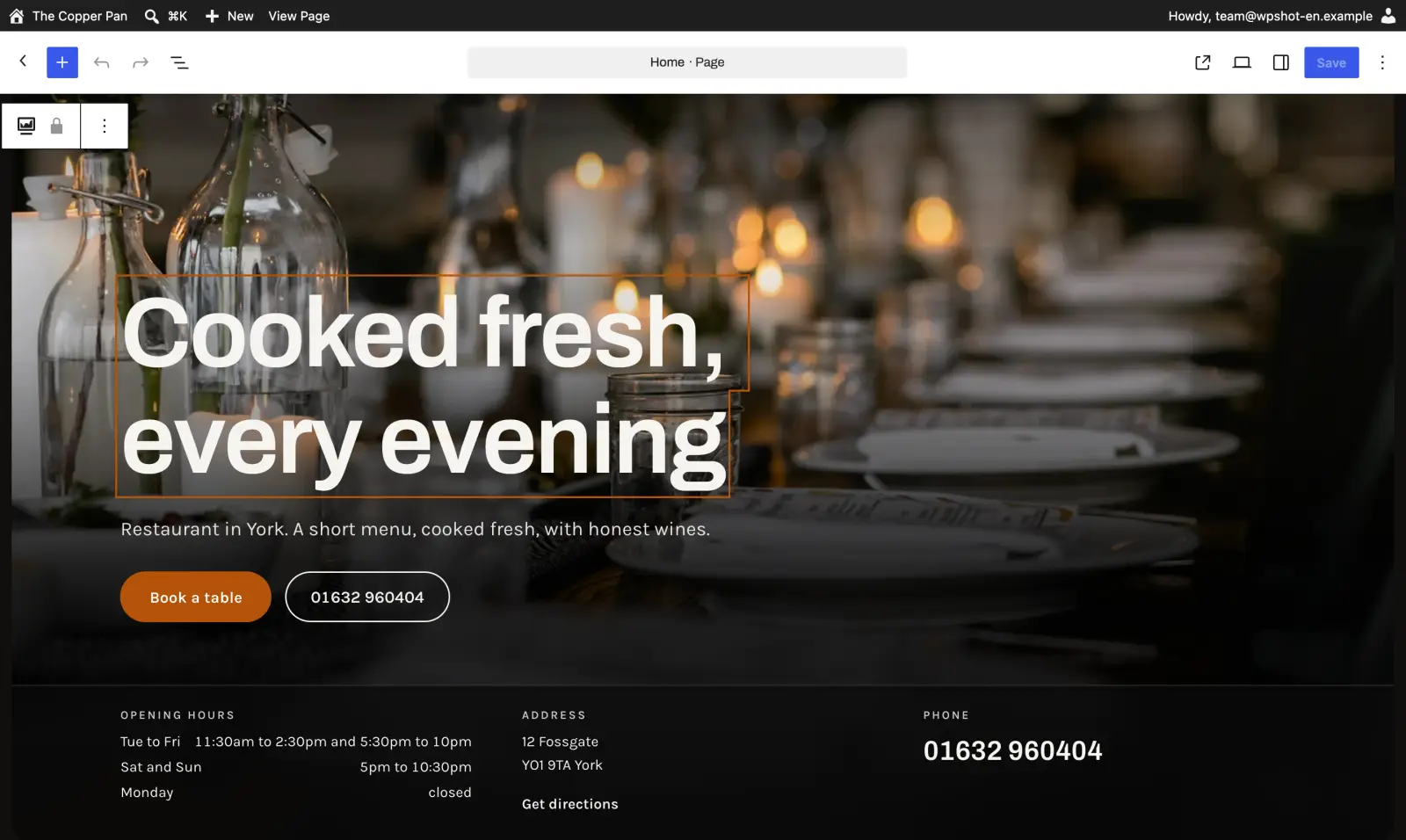
In the block editor you see your website the way visitors see it. Whatever you click on, you can change.
- Click a text and start typing
- Click a photo and replace it
- Move sections with the arrows or hide them
- Add new pages, for example for job ads or news
- Keep opening hours, street address and menu up to date in their own fields
- Separate logins for everyone on your team
We redesign your old website.
Afterwards, every page of your old website we find during the move redirects to the matching new page. Anyone arriving from Google or an old bookmark doesn't hit a dead end.
In the CMS plan this is always included.
How we redesign your old websiteYou enter the web address and we read your old website. Then you tick what comes along:
- Texts and subpages
- Photos, if you hold the rights to them
- Logo, contact details and opening hours
- Links to Instagram, Facebook and other networks
- Embedded videos and maps
- Legal notice and terms, word for word
What you'd usually add with plugins is already built in.
- Contact form with spam protection
- Legal notice and privacy policy, ready written
- Consent bar that only appears when a service needs it
- Up to 3 languages, translated by the AI
- Everything Google and AI search tools read to find your pages, created automatically
- Embed Google Analytics, Tag Manager, YouTube, Google Maps, Calendly or OpenTable
- Menu for restaurants and cafés
- Optional chatbot that answers visitors' questions
Online booking and collecting reviews are available as add-ons. All add-ons
And if something is missing, you install your own plugins, for example WooCommerce for a shop or a newsletter plugin.
How you get your WordPress website done for you.
Enter your business name
The name of your business and, if you have one, the web address of your old website.
See the drafts
You sign in with your email or Google, and your draft is usually ready 15 to 20 minutes later. Looking costs nothing.
Join the waitlist
The CMS plan with WordPress is coming soon. Sign up and we'll write to you as soon as you can order it.
Carry on yourself
Your WordPress is usually ready within a few minutes. You create logins for yourself and your people in the customer area.
Prefer TYPO3? That works just the same.
Instead of WordPress you can choose TYPO3, in the same plan at the same price. There you edit sections directly on the website: click, change, see the result straight away. TYPO3 plays to its strengths when many people with different permissions work on the website.
WordPress and TYPO3 comparedQuestions about your WordPress website, done for you

What would your website look like? Take a look.
Type in the name of your business or the web address of your old website. The AI designs a draft, and you only pay once you order.